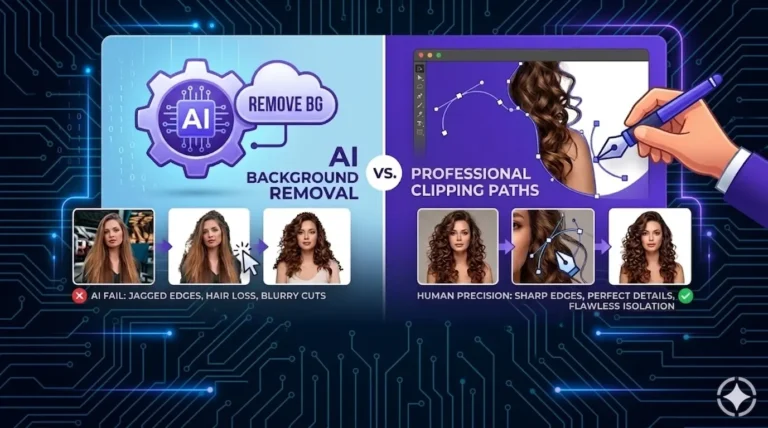
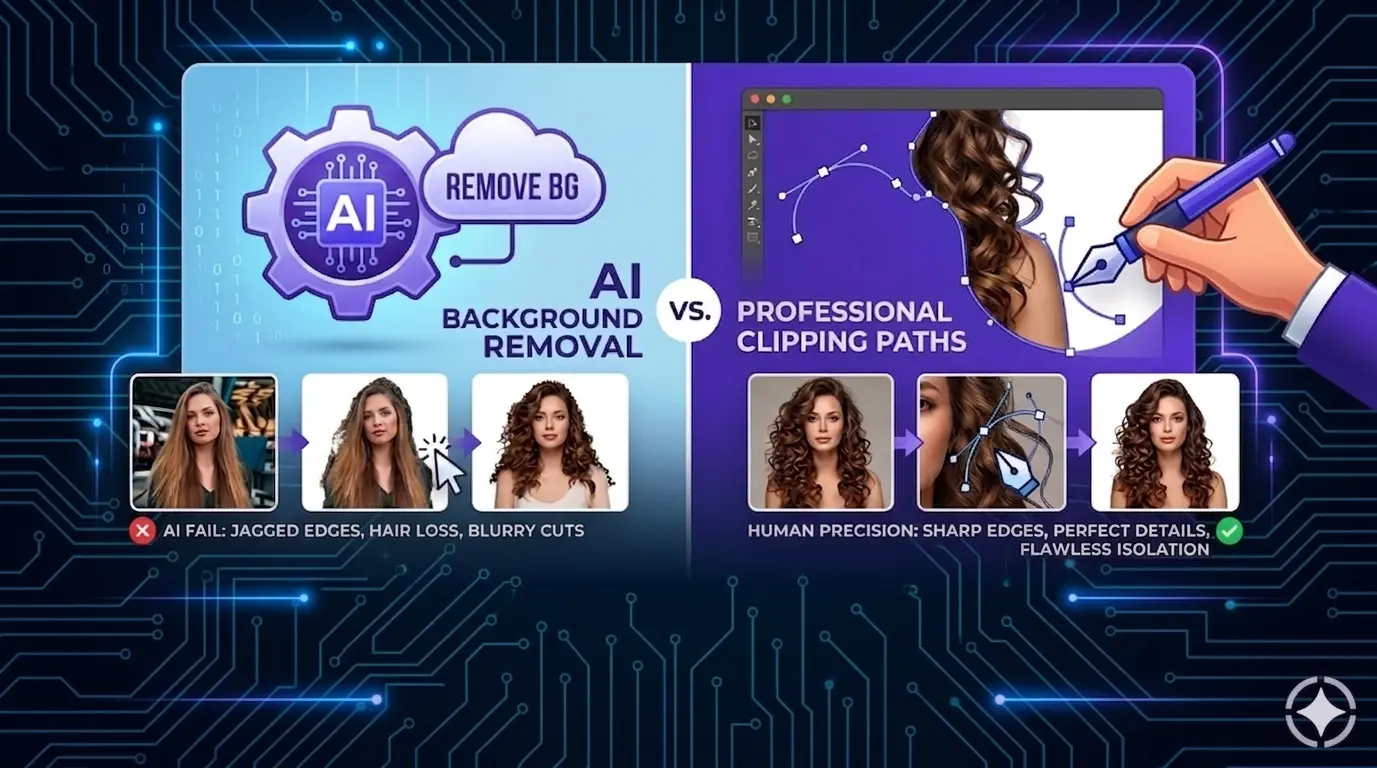
Compare AI background remover tools with manual photo editing services in this complete brand guide. Discover which option delivers better quality, accuracy, and results for your business.
Let’s break it down clearly so you can decide what works best for your brand.
What Is AI Background Removal?
Popular tools in 2026 include:
- remove.bg (still fast for simple shots)
- Photoroom (great for sellers who want templates too)
- Claid.ai (built for e-commerce batches)
- Adobe Express or Photoshop’s AI features
- Others like Removal.AI, WaveSpeed, or Mockey.ai
Pros of AI background removal
- Super fast — seconds per image
- Very cheap or free for basic use
- No editing skills needed
- Good for simple products like plain boxes, solid-color clothes, or basic electronics
- Handles bulk uploads well for large catalogs
Cons of AI background removal
- Struggles with complex edges (more on this below)
- Inconsistent results — one photo looks great, the next has halos or missing parts
- Often leaves artifacts (small leftover pixels or color bleed)
- Low contrast between subject and background confuses it
- Not great for batch consistency (Amazon or Shopify hate mismatched quality)
Save a ton of time with pro background removal from 39¢ per image
What Is a Professional Clipping Path?
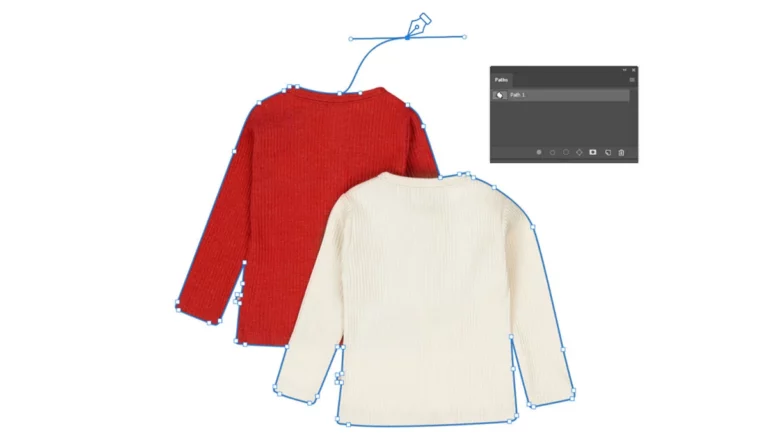
A clipping path is a vector line drawn by hand (usually with the Pen Tool in Photoshop) around the exact edge of your product. It’s like tracing the outline perfectly, pixel by pixel when needed.Professional services combine:
- Basic clipping path for hard edges (metal, plastic, boxes)
- Advanced image masking for soft edges (hair, fur, lace, smoke)
- Extra retouching for shadows, reflections, or color fixes
This method has been the standard for high-end e-commerce for years — and top brands still use it in 2026.
Pros of professional clipping paths
- Razor-sharp, clean edges — no jagged lines or halos
- Perfect control over tricky details like flyaway hair, animal fur, jewelry prongs, transparent glass, or lace fabric
- Consistent quality across hundreds or thousands of images
- Scalable for vector work (great for logos or print)
- Builds customer trust — photos look expensive and pro
Cons of professional clipping paths
- Takes more time (hours for complex batches vs seconds)
- Costs more ($0.20–$3+ per image depending on difficulty)
- Needs skilled human editors
Can I outsource professional clipping paths to save time?
Yes, you can use Hello Edits as your virtual photo post-processing studio for clipping path services.
Head-to-Head Comparison: When Each Wins
| Feature | AI Background Removal | Professional Clipping Path | Winner for Most Brands |
|---|---|---|---|
| Speed | Seconds | Minutes to hours per batch | AI |
| Cost | Free to $0.10/image | $0.25–$3+/image | AI (for volume) |
| Simple products (books, mugs) | Very good | Excellent but overkill | AI |
| Hard edges (electronics, furniture) | Good | Perfect | Tie |
| Hair, fur, feathers | Often jagged, missing strands, halos | Smooth, natural strands preserved | Professional |
| Jewelry & watches | Reflections broken, prongs cut off | Sharp facets, clean metal edges | Professional |
| Transparent/glass items | Halos or wrong transparency | Precise negative space | Professional |
| Batch consistency | Varies a lot | 100% uniform | Professional |
| E-commerce conversions | Can hurt if edges look cheap | Boosts trust and sales | Professional |
Save a ton of time with pro background removal from 39¢ per image
Which AI is best for removing background?
Choosing the best AI for background removal in 2026 depends on your specific workflow. Adobe Express stands as the premier choice for professional precision, using the Firefly engine to handle complex textures like hair and fur with surgical accuracy.
For e-commerce and high-volume sellers, Photoroom is the industry leader, offering mobile-first tools that instantly add realistic shadows and studio lighting to product shots.
Meanwhile, Remove.bg remains the fastest option for bulk processing and seamless software integration. Each tool excels in different areas, ensuring high-quality, one-click results whether you prioritize artistic detail, sales-ready visuals, or sheer operational speed.
Which Clipping path company is best for removing background?
Hello Edits is one of the most reliable clipping path companies for high-quality background removal.
There are dozens of clipping path providers available online. While some are suitable for simple tasks, others truly stand out when it comes to handling complex images—such as clothing with fine details, hair, jewelry, fur, lace, or transparent glass.
After evaluating key factors like quality, turnaround time, pricing, and real customer feedback, Hello Edits consistently ranks among the top choices for delivering sharp, clean, and professional results.
Why Many Brands Still Choose Professional Clipping Paths in 2026
- Customer perception — A tiny halo or jagged hair makes the product look low-quality. Shoppers notice and bounce.
- Platform rules — Amazon, Etsy, and others reject or rank down fuzzy edges.
- Returns & refunds — Bad photos = more “item not as described” complaints.
- Brand value — Clean, pro images signal premium quality.
Which Should Your Brand Choose?
- Use AI background removal if:
- Your products have clean, hard edges
- You need fast, cheap edits for hundreds of images
- You’re testing new listings or social media posts
- Choose professional clipping paths if:
- You sell fashion, apparel with hair/fur models, jewelry, cosmetics, or anything detailed
- Quality edges directly affect sales and trust
- You want consistent, print-ready, or hero images
Ready to see the difference?
Upload 3–5 images for a free test edit using AI tools, and send the same images to Hello Edits, a professional clipping path company. You will see the difference between professional clipping path services and AI tools. AI cannot beat a team of skilled human designers.